
 Avrhil IT Services
Avrhil IT Services
Avrhil IT Services

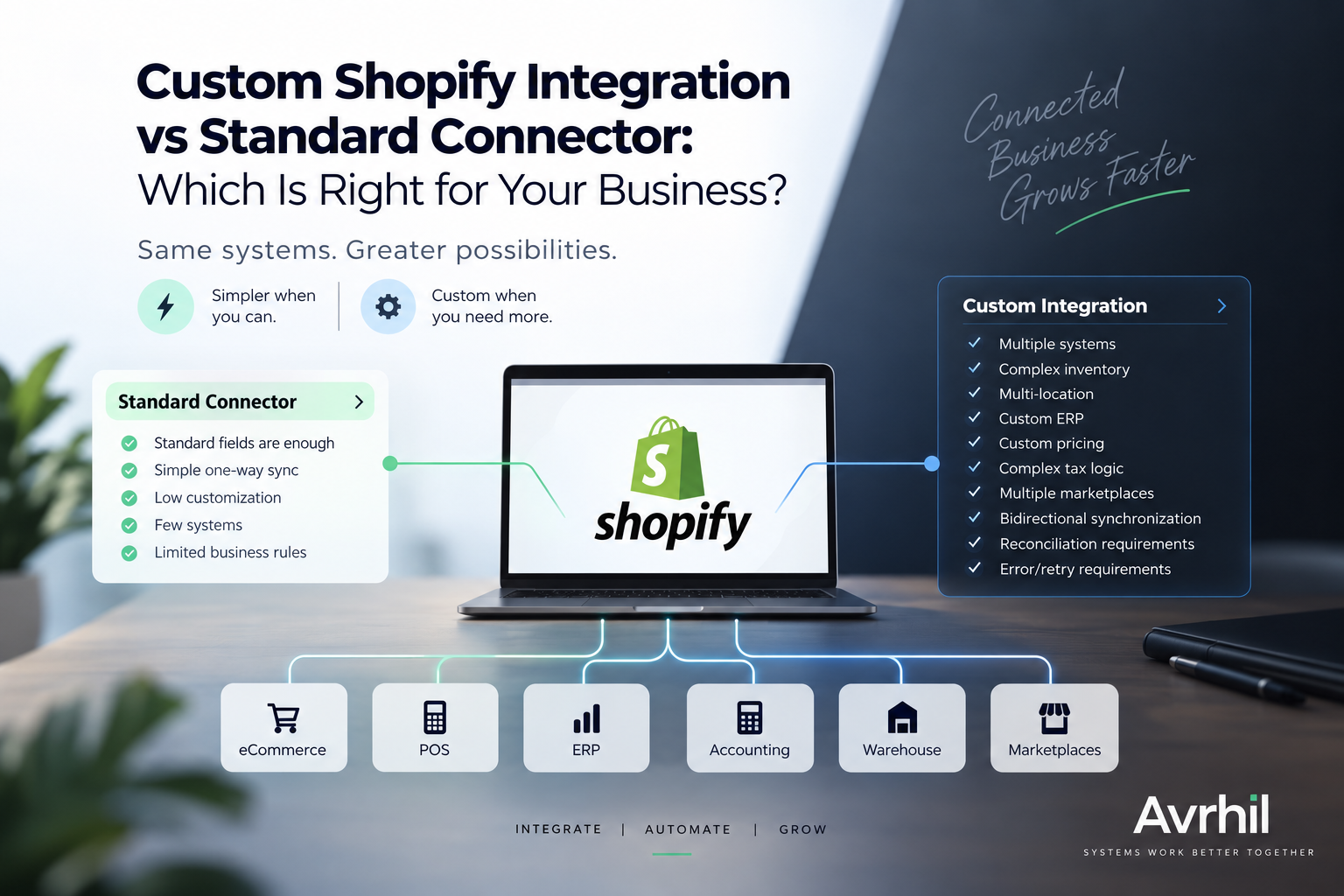
A standard connector can be the fastest way to connect Shopify with another platform. But as your business grows, complex inventory, multiple locations, custom ERP workflows, accounting requirements, marketplaces, and business-specific rules can make a custom integration the better approach.
Use a standard connector when your Shopify integration requirements are straightforward and the available connector already supports the fields, workflows, and business rules you need.
Consider a custom integration when your business depends on multiple systems, complex inventory, multiple locations, custom ERP logic, custom pricing, complex tax rules, multiple marketplaces, bidirectional synchronization, reconciliation, or advanced error and retry requirements.
| Requirement | Standard Connector | Custom Integration |
|---|---|---|
| Standard fields | Excellent fit | Usually unnecessary |
| Simple one-way sync | Excellent fit | Usually unnecessary |
| Low customization | Good fit | Usually unnecessary |
| Few systems | Good fit | May be unnecessary |
| Complex business rules | May be limited | Strong fit |
| Multiple systems | Can become difficult to manage | Strong fit |
| Complex inventory | Often limited | Strong fit |
| Multi-location operations | Depends on connector | Strong fit |
| Custom ERP | Often limited | Strong fit |
| Custom pricing | Often limited | Strong fit |
| Complex tax logic | Depends on connector | Strong fit |
| Multiple marketplaces | Can require multiple connectors | Strong fit |
| Bidirectional synchronization | Depends on connector | Strong fit |
| Reconciliation requirements | Often limited | Strong fit |
| Error handling and retries | Depends on provider | Strong fit |
A standard connector is a pre-built integration that connects Shopify with another platform using predefined workflows, supported fields, and available configuration options.
For example, a connector may synchronize Shopify orders with accounting software, transfer customer information to a CRM, or synchronize inventory with another commerce or operational system.
There is no reason to build custom software simply because custom software is possible.
Custom integration becomes more valuable when Shopify is only one component of a larger business technology ecosystem.
Instead of forcing your workflow into predefined connector rules, a custom integration can be designed around the way your business actually operates.
A synchronization problem may seem insignificant when a business processes a small number of orders.
But as order volume, product count, locations, sales channels, marketplaces, and operational systems increase, small integration problems can become expensive operational issues.
One manual correction may not matter.
Hundreds of manual corrections every week are a different problem.
At that point, the integration itself becomes an operational bottleneck.
Shopify, POS, ERP, warehouse, and marketplace platforms may each contain different inventory quantities if updates are delayed, rejected, duplicated, or transformed incorrectly.
Customers, products, orders, and transactions can be duplicated when systems do not have reliable synchronization and identity matching rules.
Finance teams may have to manually compare orders, payments, refunds, taxes, fees, and settlements across different platforms.
If order or inventory information does not reach the warehouse or fulfillment system correctly, order processing can slow down.
Delayed inventory synchronization can result in a product being available for purchase even though the actual available stock has already been allocated elsewhere.
When different platforms contain different versions of the same information, operational and management reports can show conflicting numbers.
The decision should not be based only on whether a connector exists. The more important question is whether it can reliably support your actual business process.
Shopify rarely operates in isolation for a growing commerce business. Your store may need to exchange information with several systems across sales, finance, inventory, fulfillment, and operations.
Orders, products, customers, inventory, purchasing, fulfillment, and operational data.
Store sales, online sales, products, customers, inventory, locations, and transactions.
Orders, payments, refunds, taxes, fees, settlements, and financial reconciliation.
Inventory, fulfillment, shipments, returns, stock movements, and order status.
Products, orders, inventory, pricing, listings, and fulfillment across multiple channels.
Customers, orders, segments, customer activity, and sales information.
Data exchange with proprietary software, internal applications, or custom business systems.
Coordinated data flows between Shopify, ERP, POS, accounting, warehouse, CRM, and marketplaces.
A strong Shopify integration strategy starts with understanding the complete data flow—not simply connecting two APIs.
Avrhil focuses on connecting eCommerce platforms with the business systems companies already depend on, including ERP, POS, accounting, warehouse, CRM, marketplace, and custom internal systems.
The objective is to create reliable data flows between existing systems while reducing unnecessary manual work and improving consistency across business operations.
A scalable integration architecture needs to account for more than the initial transfer of data.
It should consider what happens when data changes, transactions fail, APIs become temporarily unavailable, inventory changes simultaneously, or financial records need to be reconciled.
Depending on the requirements, an integration layer can manage data transformation, validation, synchronization, retries, exception handling, logging, monitoring, and reconciliation.
The architecture should be designed around the business workflow, not simply around the APIs available from individual platforms.
Two systems can have working APIs and still fail to support a reliable business workflow.
For example, an integration may need to determine which inventory location should fulfill an order, how customer-specific pricing should be applied, how tax information should be transformed, what should happen when an API fails, or how a transaction should be reconciled later.
These are business-process questions, not simply API-connection questions.
That is why integration planning should begin with the data flow, system responsibilities, and business rules before choosing the technology used to implement it.
Businesses researching Shopify integrations may use different search phrases depending on the systems they need to connect. The following list is a commercial query hypothesis for content planning. It is not a claim about what users are asking inside ChatGPT or any other AI platform.
These specialized pages can support a broader Shopify Integration Services pillar page. Together, they create a focused content structure around Shopify integration use cases.
Shopify integration is increasingly becoming a business systems challenge rather than simply a store-development task.
Growing businesses often need Shopify to communicate with their entire technology stack:
This is where Avrhil's positioning becomes different from a generic Shopify development agency.
We connect your eCommerce, POS, accounting, ERP, warehouse and marketplace systems—and automate the data flow between them.
Shopify Plus businesses can have the same fundamental integration challenge as other Shopify businesses, but the operational complexity may increase as order volume, locations, sales channels, and back-office systems grow.
The integration decision should therefore be based on business requirements rather than simply choosing a solution because a business uses Shopify Plus.
Use a connector when your requirements are simple and match the connector's supported workflows. Consider a custom integration when you have complex business rules, multiple systems, custom ERP logic, multi-location inventory, bidirectional synchronization, reconciliation, or advanced error-handling requirements.
Yes. Shopify can exchange data with ERP systems for workflows involving orders, products, customers, inventory, purchasing, fulfillment, and other operational processes. The appropriate architecture depends on the ERP and the business rules involved.
Yes. Shopify and POS systems can be integrated to synchronize relevant information such as products, inventory, customers, sales, and location data. Multi-location businesses may require additional logic for location-specific inventory and fulfillment.
Yes. Shopify can be connected with accounting platforms to support workflows involving orders, payments, refunds, taxes, fees, and financial reconciliation.
Custom API development can be appropriate when a required system has no suitable connector, when existing connectors cannot support the required business logic, or when multiple systems need a controlled integration layer.
Start by mapping the complete data flow and defining ownership for important data. Depending on the architecture, validation, logging, monitoring, retry mechanisms, exception handling, and reconciliation workflows can improve integration reliability.
No. A custom integration is not automatically better. If a standard connector fully supports the required workflows, using the connector can be simpler and more cost-effective. Custom integration becomes valuable when the business requirements exceed what standard connector functionality can reliably handle.
Not sure whether a standard connector is enough or your business needs a custom Shopify integration?
An integration audit can help identify your systems, data flows, synchronization requirements, business rules, and potential failure points before you invest in development.
Get a Free Integration Audit →Your business may already have the software it needs.
The challenge may simply be that those systems do not communicate reliably with each other.
The goal isn't more software. The goal is making the software you already use work together.
Whether that means a standard connector, a custom integration, or a combination of both, the right approach should be based on your actual business requirements—not on adding another tool simply because it is available.
Book a free 30-min call. We'll map out your strategy.